Youtube
Reverse Design
Preface
In my Cognitive & Brain Sciences class, we discussed interface features that make an app more addictive (e.g. recommend posts, autoplay videos, etc.).
For kicks, I re-designed Youtube to render it less addictive.

Note: This is not affiliated with Youtube and is a theoretical project.
Research
I analyzed 211 responses from a class discussion where students examined the digital ethics of apps. Feedback from the forum consisted of apps that incorporate functions to maximize addictiveness, such as the "slot machine" where users pull the screen down to refresh content, the feeling of reward from the number of likes and notifications one receives from a post, and the infinite scroll that leaves users with endless content.
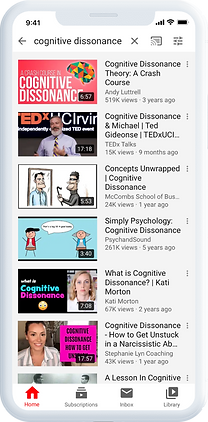
I chose to redesign Youtube because it is known that Youtube users tend to wander down the deep dark hole of recommended videos and lose track of time. I highlighted some features that facilitate users to stay hooked to the app.
Users can refresh the content by pulling down on the top of the screen.
The notifications tab in the navigation bar can be overwhelming for content creators.

When the user is watching a video, they cannot disable video recommendations along the side, but you can disable autoplay.
The home page greets users with 3 recommended videos or even more if you scroll both horizontally and vertically.
The explore tab in the navigation bar enables unlimited browsing.
Current Youtube Home Screen
Design Decisions
With the addictive features in mind, I re-designed the interface with each feature in its opposite intent.
No Recommendations - Underneath or to the side of each video playing, there will be no recommendations column. Instead, users are presented with a search bar to actively think about what they would like to watch next without the help of any suggestions.
No Autoplay - Videos will no longer be automatically played after the end of a video. Instead, users are asked if they would like to watch a recommended video. However, I could've removed that option entirely and not offer the choice of playing another video.
No Explore Tab - I removed the explore tab from the navigation bar because it presented too many options and menus to choose from. There will no longer be information about trending videos, new videos by category, or videos that were algorithmically recommended.
Time Limit - Users can only begin playing videos after they have set a timer for their app usage. Once the timer is locked, it cannot be edited or unlocked to make sure the user is consciously aware of their time limit and chooses videos wisely. There is a timer countdown beneath each video and on hover of the video.
No Refresh - Due to the revised home screen being the timer and search bar, users will not be able to receive new content by pulling down on the screen.
Style Guide


The Less-Addictive Youtube